
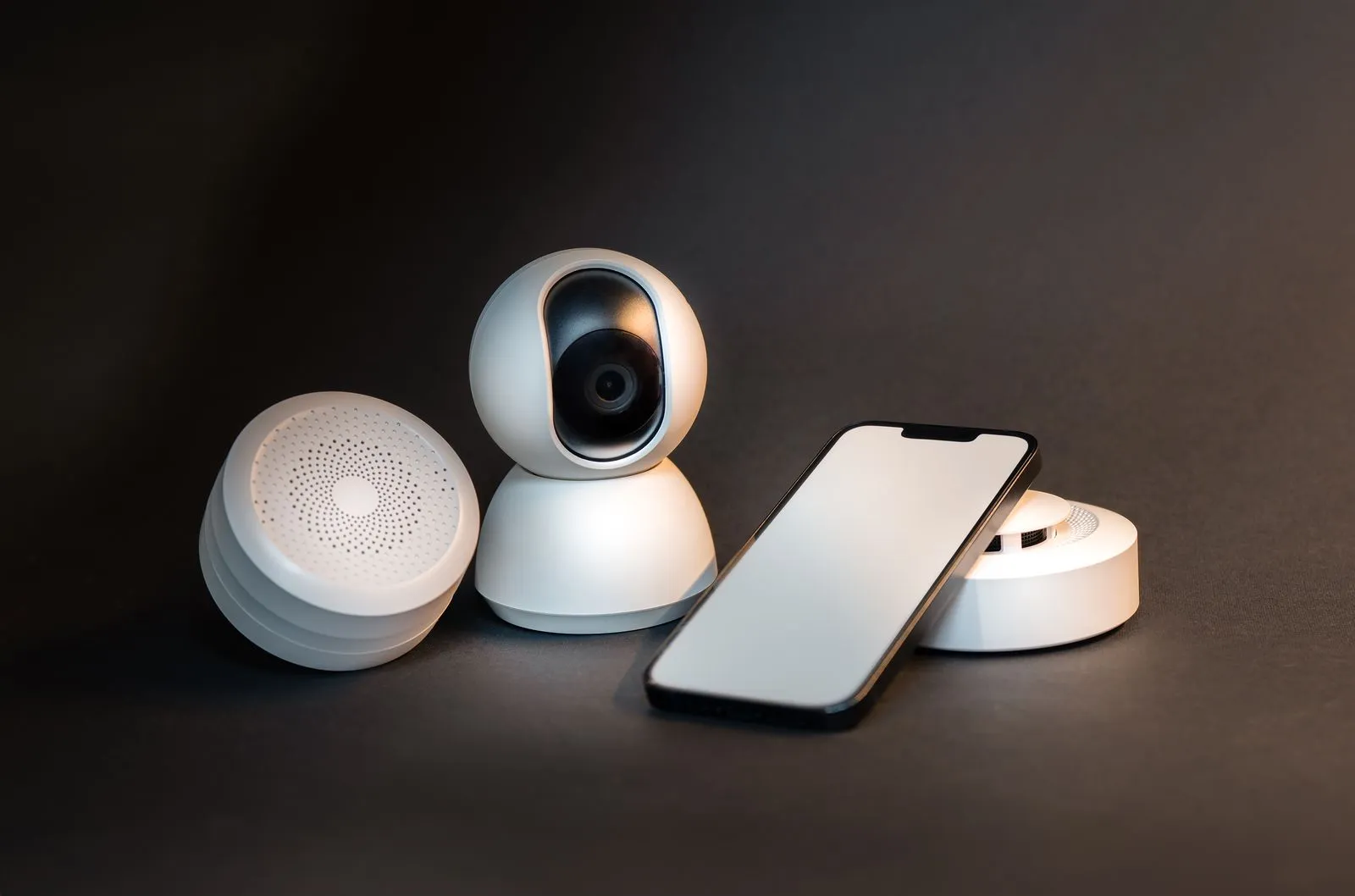
What’s the very first thing that crosses your mind when you hear ‘smart technology’?
- Is it a smartwatch?
- Gen AI speakers?
- Smart bulbs?
- Or should we say the list is never-ending?
Well, we 100% agree with you. The way technology is making everything smart, the day is not far when we’ll be able to do everything with just a command. Don’t you agree? With that being said, it’s also not hidden anymore how technology is making our homes smarter and smarter every passing day.
You all must have heard about smart home manager apps and how they actually modernize your entire home with just a click. Isn’t it? But, if you’re reading this blog, then you are already looking to build a hyper-personalized smart home manager app like AT&T for your business. So, continue reading further and learn about the sure-fire ways to build an app like AT&T smart home manager.
Let’s talk about some stats first…
- According to Statista, the number of smart homes is projected to surpass the 400 million mark by 2024.
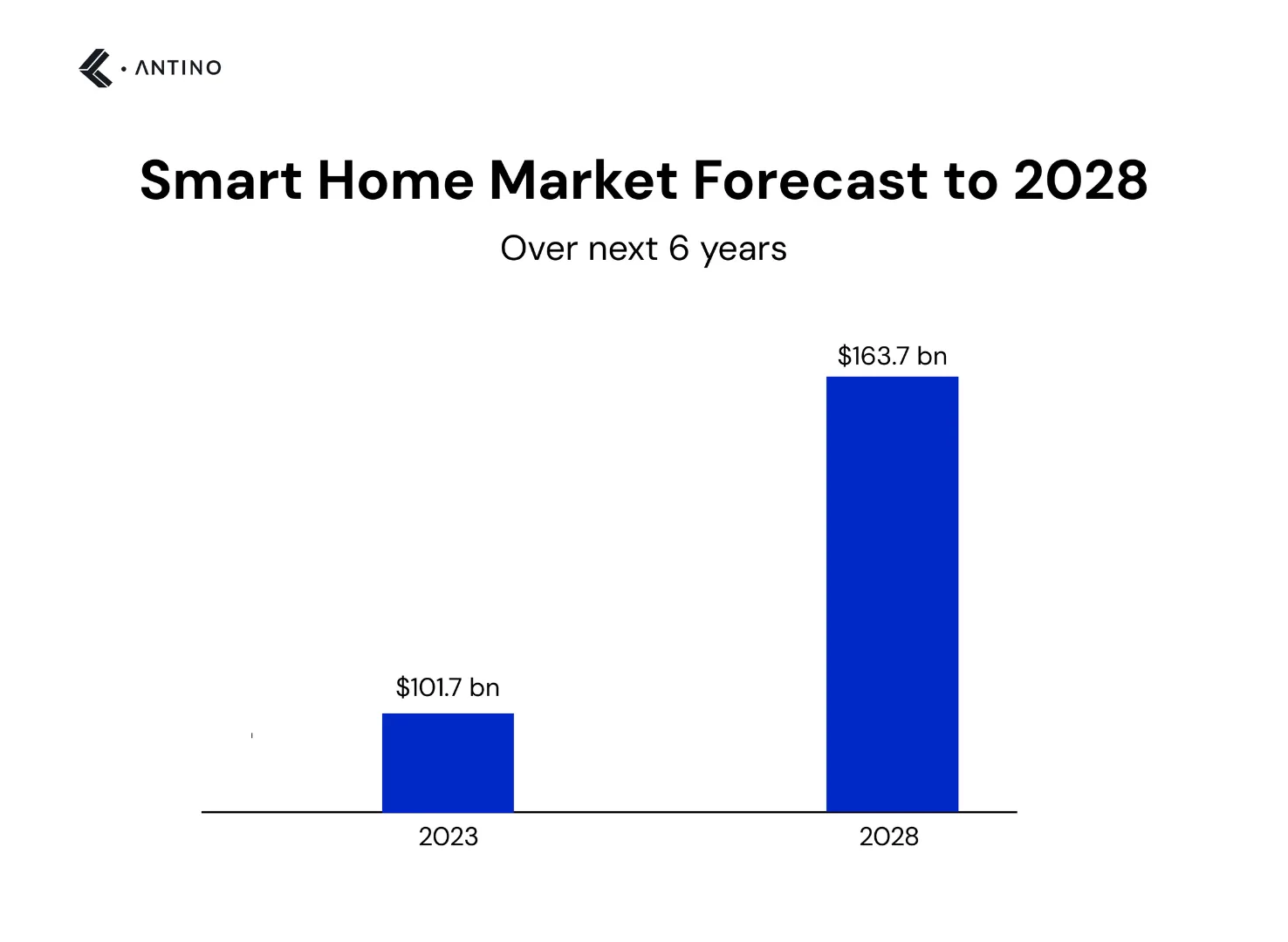
- And if we talk about the market in numbers, then according to recent studies, the global smart home market is expected to reach USD 163.7 billion by 2028.
- Brand awareness of AT&T among smart home users is at 86% in the United States.
Well, looking at the above stats it’s quite clear that the demand for smart home manager apps like AT&T is only going to rise in the future. But, how did AT&T manage to become a daily household need for the individuals in the US? Let’s find out.
A Quick Glance at the Growth Story of the AT&T App
The AT&T Smart Home Manager app is like having a remote control for your home Wi-Fi, all in one handy mobile app. AT&T has been a top player in wireless communications for a long time. By the first quarter of 2023, they provided nearly 46% of all wireless subscriptions among the major U.S. operators and the rest is in front of your eyes.

If you have AT&T internet and a compatible gateway, this app makes managing your network a breeze. You can run real-time speed tests, monitor devices, and tweak your Wi-Fi settings right from your phone. Plus, it helps you control which devices are hogging bandwidth, set screen time limits for family members, and troubleshoot any network issues without needing to call tech support. It's no wonder it has become so popular!
Now you must be curious to know the steps in building such a smart and modern app for your next venture. So, without further ado, let’s do away with your curiosity.
Steps to build an app like AT&T smart home manager
Creating an app like AT&T's Smart Home Manager involves several key steps, each crucial to the success of the project. Let’s break it down in a straightforward way.
Step 1: Ideation
First things first, you need a solid plan. This involves-
- Researching Your Audience: Understand who will be using your app. What are their needs and pain points?
- Analyzing Competitors: Look at other smart home apps. What do they do well? Where do they fall short?
- Staying Updated on Market Trends: What’s new and exciting in the smart home market? This can help you stay ahead.
- Conducting Surveys and Interviews: Direct feedback from potential users is gold. It helps you understand what features are most important to them.
- Ensuring Data Privacy and Security: Make sure your app complies with all data privacy laws and has robust security measures to protect user data.
Step 2: UI/UX Design Phase
Now, design is where your app starts to take shape. AT&T's app uses blue and white for good reasons, such as to see where they are today. So, here’s what you need to take care of while giving your smart home management mobile app for design.
- Professional Look: The subtle and modern colors that are trending make the app look trustworthy and reliable.
- Easy to Read: Dark shade backgrounds with white text and icons make everything clear and easy to see.
- Calming Effect: Blue (used by AT&T) is known to be a calming color, which can make users feel more comfortable using the app. So, make sure to use colors that are in sync with your brand and also radiate calm vibes.
- Brand Consistency: Using consistent colors helps reinforce your brand identity.
- Clean Design: A simple, uncluttered look helps users focus on what’s important.
- Modern Feel: Blue and white (again used by AT&T) give a sleek, modern appearance that appeals to tech-savvy users. So, make sure to consider that as well.
When designing your app, aim for an intuitive, accessible, and interactive user experience. This will make your app attractive to users and help build your brand.
Step 3: Development Phase
Now comes the heavy lifting- building the app. This involves-
- Backend Setup: Creating the server-side structure that will support your app’s functionality.
- Frontend Development: Designing the user interface that people will interact with.
- Integration with Smart Home Devices: Ensuring your app can communicate with various smart home devices and platforms.
- Agile Development: Using an agile approach allows for iterative progress, meaning you can continuously improve the app as you go.
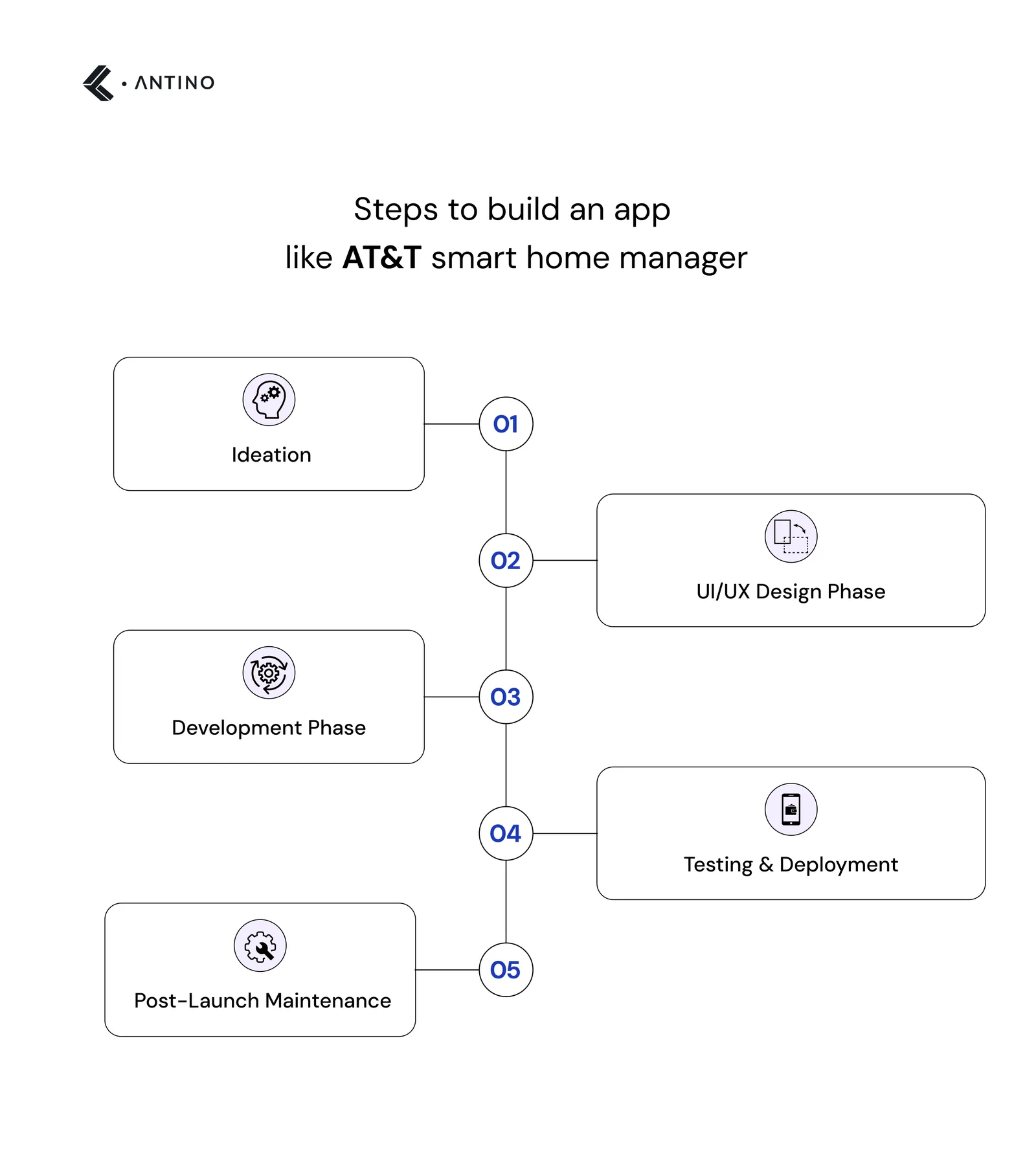
Step 4: Testing & Deployment
Before launching, you need to make sure everything works perfectly.
- Functional Testing: It’s done to double-check if all features work as they should.
- Performance Testing: Checks how the app performs under different conditions.
- Security Testing: Ensures user data is safe and secure.
- Usability Testing: Makes sure the app is easy to use.
- Beta Testing: Release the app to a small group of users to gather feedback and spot any issues.
Once you’ve ironed out any bugs, it’s time to launch the app on platforms like the Google Play Store and Apple App Store.
Step 5: Post-Launch Maintenance
After launching, the work continues. How? See below…
- Monitoring Performance: Keep an eye on how the app is performing.
- Collecting User Feedback: Listen to your users and make improvements based on their feedback.
- Releasing Updates: Regularly update the app to fix bugs, enhance features, and introduce new functionalities.
- Providing Customer Support: Ensure users have access to help when they need it.
- Enhancing Security: Continuously update your security measures to protect user data.
- Scaling Infrastructure: As your user base grows, you’ll need to expand your infrastructure to keep the app running smoothly.
By following these steps, you can create a smart home manager app that not only meets user expectations but also stands out in the market.
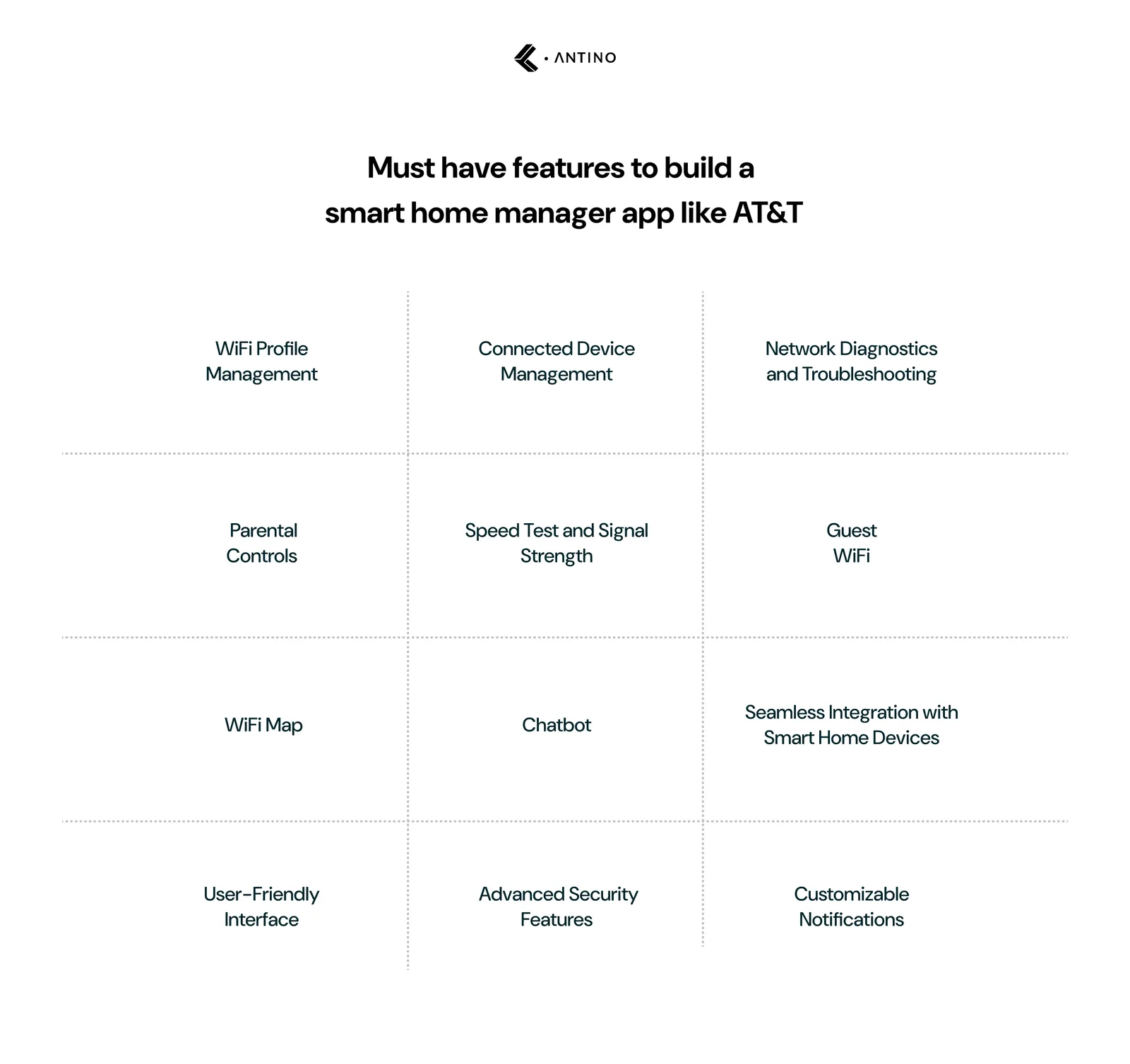
Must have features to include while building a smart home manager app like AT&T
Creating a smart home manager app like AT&T's requires a mix of essential features that enhance user experience and network management. Here are the must-have features explained in a more concise way.
1. WiFi Profile Management
Imagine having the power to customize your WiFi settings for your home network and devices. With this feature, you can easily:
- Create profiles for different devices and family members.
- Set priority levels to ensure your work laptop gets the best speed.
- Customize security settings and bandwidth allocation easily.
- Enjoy a seamless network experience tailored to your needs.
2. Connected Device Management
This feature lets you keep an eye on all the devices connected to your network. It's like being the manager of your digital household:
- See what devices are using your WiFi and how much data they’re consuming.
- Identify and remove unauthorized devices quickly.
- Optimize network resources for better performance on all your gadgets.
3. Network Diagnostics and Troubleshooting
No more guessing why your internet is acting up. This feature provides:
- Tools to diagnose connection issues, whether they're hardware or software-related.
- Step-by-step guidance to fix common problems.
- A way to reduce downtime and maintain stable connections, making your online experience stress-free.
4. Parental Controls
Well, this feature keeps your kids safe online with the below-mentioned controls:
- Set specific times for when your children can access the internet.
- Block inappropriate websites and content.
- Manage how much time your kids spend on their devices, promoting healthier screen habits.
5. Speed Test and Signal Strength
This feature makes sure that your WiFi is performing at its best with this feature:
- Check your download and upload speeds in real-time.
- Measure signal strength throughout your home.
- Get recommendations for the best placement of your devices to avoid dead zones.
6. Guest WiFi
Make it easy for visitors to connect to your network without compromising security:
- Create temporary login details for guests.
- Limit the usage and access of guest devices.
- Keep your main network secure while being a good host.
7. WiFi Map
Visualize your home’s WiFi coverage with a handy heatmap:
- Identify weak spots and interference areas.
- Find the best locations to place your router for optimal coverage.
- Ensure every corner of your house has a strong and reliable connection.
8. Chatbot
Get instant support with a built-in chatbot:
- Access troubleshooting tips and FAQs quickly.
- Resolve issues without waiting for customer service.
- Enjoy personalized assistance that enhances your overall user experience.
9. Seamless Integration with Smart Home Devices
Make your app the hub of your smart home:
- Integrate with popular smart home devices like thermostats, lights, and security systems.
- Control all your smart gadgets from one app.
- Enhance convenience and automation in your daily life.
10. User-Friendly Interface
A clean, intuitive interface is a must. So, make sure to :
- Use a minimalistic design for easy navigation.
- Ensure important features are accessible within a few taps.
- Provide a consistent and visually appealing user experience.
11. Advanced Security Features
This particular feature helps to protect your network and data. Hence, the importance of adding this feature is much greater than imagined. It’s used to:
- Implement strong encryption and security protocols.
- Offer alerts for potential security breaches or suspicious activity.
- Regularly update security measures to stay ahead of threats.
12. Customizable Notifications
With this feature, you can stay informed with notifications that matter to you like:
- Receive alerts for new device connections or unusual activity.
- Get reminders for scheduled parental control limits or maintenance tasks.
- Customize notification preferences to suit your lifestyle.
By incorporating these features, you can create a smart home manager app that not only meets but exceeds user expectations, providing them with a powerful tool to manage their home network efficiently and securely. But how much does building an app like AT&T smart home manager cost? Let’s have a quick overview of the related costs.
How much does it cost to build an app like AT&T Smart Home Manager?
Creating an app like AT&T Smart Home Manager involves various factors that influence the overall cost. These factors include the complexity of the features, the development team's expertise, the technology stack used, and the time required to build the app. Here's a breakdown of the costs associated with developing such an app.
Factors Influencing the Cost
- Feature Set: The more features you want to include, the higher the cost. Basic features will cost less, while advanced functionalities will require more investment.
- Platform: Developing for multiple platforms (iOS, Android) will increase the cost compared to a single platform.
- Design Complexity: A simple, minimalistic design will cost less than a highly customized, intricate design.
- Development Team: The cost varies depending on whether you hire freelancers, an in-house team, or an outsourced development agency.
- Maintenance and Updates: Post-launch maintenance and updates are essential and add to the overall cost.
Feature-type Breakdown
Here's a cost comparison between building a basic, complex, and advanced smart home manager app.
| Features | Basic App | Advanced App | Complex App |
| Core Features | WiFi Profile Management, Connected Device Management, Speed Test | All Basic features + Network Diagnostics, Parental Controls, Guest WiFi | All Complex features + WiFi Map, Chatbot, Seamless Integration with Smart Home Devices |
| Design | Simple, minimalistic UI | Custom UI/UX | Highly customized, advanced UI/UX |
| Development Team | Small teams or freelancers | Medium-sized team or agency | Large, specialized team or top-tier agency |
| Platforms | Single platform (iOS or Android) | Both iOS and Android | Both iOS and Android with web app integration |
| Backend Infrastructure | Basic server setup | Scalable backend with cloud integration | Advanced backend with AI and machine learning capabilities |
| Testing | Basic functional testing | Extensive functional, performance, and security testing | Comprehensive testing including beta testing and user feedback |
| Maintenance & Updates | Basic support and updates | Regular updates and new features> | Continuous maintenance with proactive updates and new feature rollouts |
Cost Estimates
| Type | Estimated Cost (USD) |
| Basic | $50,000 - $100,000 |
| Complex | $100,000 - $200,000 |
| Advanced | $200,000 - $500,000+ |
Here’s a more detailed breakdown
1. Basic App
- Features: Includes essential features like WiFi Profile Management, Connected Device Management, and Speed Test.
- Cost: $50,000 - $100,000.
- Details: Suitable for startups or small businesses looking to enter the market with essential functionalities.
2. Complex App
- Features: Incorporates all basic features plus advanced features like Network Diagnostics, Parental Controls, and Guest WiFi.
- Cost: $100,000 - $200,000.
- Details: Ideal for businesses wanting to offer more comprehensive solutions with enhanced functionalities.
3. Advanced App
- Features: Includes all complex features plus premium features like WiFi Map, Chatbot, and Seamless Integration with Smart Home Devices.
- Cost: $200,000 - $500,000+.
- Details: Best for established companies aiming to provide a top-tier smart home management experience with cutting-edge technology.
The cost of building an app like AT&T Smart Home Manager varies significantly based on the complexity and range of features included. A basic app with essential functionalities might cost between $50,000 and $100,000, while a more advanced app with sophisticated features could cost upwards of $500,000. It’s crucial to clearly define your requirements and budget to ensure a successful development process.
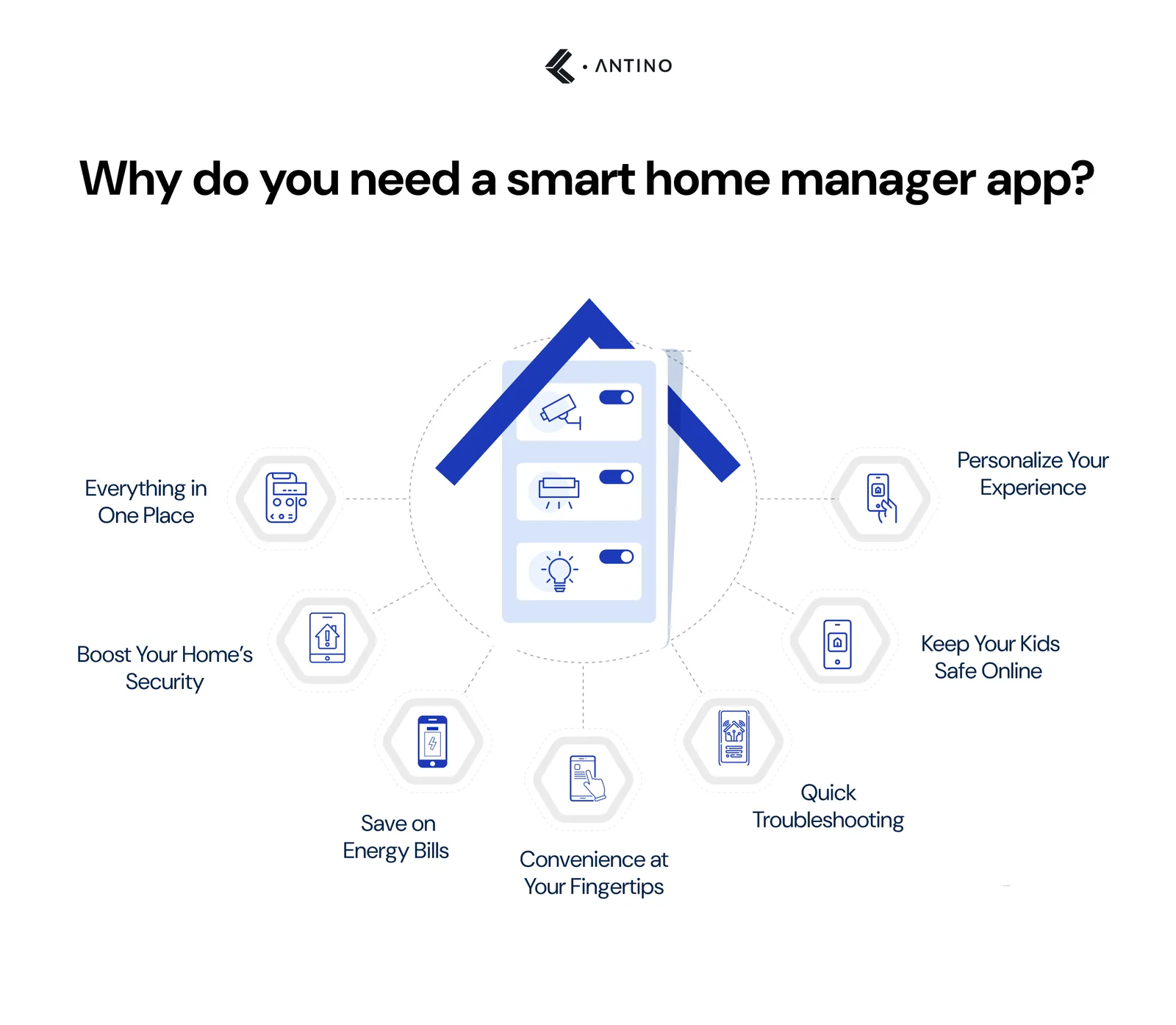
Why do you need a smart home manager app?
In our tech-driven world, managing your home’s devices and connectivity has never been more important. A smart home manager app can simplify this and bring several benefits to your everyday life.

Here’s why you should consider getting one:
1. Everything in One Place
Imagine controlling all your smart home devices from one app. Whether it’s your thermostat, lights, or security cameras, having them all in one place makes managing your home a breeze.
2. Boost Your Home’s Security
Stay on top of your home’s security with real-time alerts and remote access control. Monitor your security cameras, lock and unlock doors, and get notified of any unusual activities- all from your phone.
3. Save on Energy Bills
A smart home app helps you track and manage your energy use. Set schedules for your appliances, adjust your thermostat and get insights into your energy consumption. This not only lowers your bills but also helps the environment.
4. Convenience at Your Fingertips
Adjust your home’s lighting or temperature with just a tap on your phone. Create routines, automate daily tasks, and make your home as comfortable as possible with minimal effort.
5. Quick Troubleshooting
No more waiting on hold for tech support. With real-time monitoring and troubleshooting, you can fix many issues yourself. Run speed tests, check device connections, and keep your network running smoothly.
6. Keep Your Kids Safe Online
Set screen time limits, restrict access to inappropriate content, and monitor your children’s online activities. A smart home app gives you the tools to promote healthy digital habits and keep your kids safe online.
7. Personalize Your Experience
Customize your home’s settings to suit your family’s needs. Create profiles for different family members, prioritize certain devices, and fine-tune your network to work exactly how you want it.
A smart home manager app makes life easier by centralizing control of your devices, enhancing security, improving energy efficiency, and providing convenience. It’s a small investment for a big improvement in your daily living.
How can Antino help you build a smart home manager app?
In today’s fast-paced tech world, providing a modern and intuitive smart home experience is crucial. Partnering with the right development team can make all the difference in creating a cutting-edge smart home manager app that stands out in the market.
At Antino, we’re dedicated to developing innovative and user-friendly smart home solutions tailored to your unique business needs. Our expert team excels in creating advanced applications that integrate seamlessly with various devices and systems, ensuring your app provides a superior user experience.
With Antino by your side, you can lead the market by offering exceptional smart home solutions that truly enhance your customers’ lives. Get in touch with us, and let's create something remarkable.
FAQs
What is a Smart Home Application?
A smart home application is software that allows users to control and manage their smart home devices, such as lights, thermostats, and security systems, from a central interface, typically on a smartphone or tablet.
What is the Future of Smart Homes with AI?
The future of smart homes with AI involves increased automation, personalized user experiences, and enhanced security, making homes more efficient, intuitive, and responsive to the needs and preferences of their inhabitants.